Moving adoption applications online (without losing what worked on paper)
Every shelter has an adoption application, and most have strong opinions baked into it, hard-won questions about fencing, landlords, other pets, and what happens if the adoption doesn’t work out. The form itself is rarely the problem.
The problem is everything around it: the PDF that comes back as a photo of a printout, the application sitting in one volunteer’s inbox, the great applicant who never got a reply because the email thread died. Shelters don’t lose adopters to their questions. They lose them to their process.
What paper (and PDF) actually costs
Trace one paper application’s journey: printed at home, filled out, photographed, emailed, forwarded to the right person, printed again for the meet and greet, and filed in a folder nobody will open twice. At each hop, information gets harder to read and easier to lose.
The quieter cost is response time. Adopters apply to multiple organizations, and the one that responds first usually wins. If your intake path adds days before a human even sees the application, you’re losing adoptions to shelters with worse dogs and better plumbing.
What a good online form changes
An online application isn’t just the same questions in a browser. Done right, it changes the workflow:
- Every submission lands in one queue, not one inbox. Anyone on staff can see what’s new, what’s in review, and what’s been decided.
- Applications attach to the animal. When someone applies for Peanut, the application should live on Peanut’s record. Six months later, when Peanut’s adopter emails about a behavior question, the original answers are right there.
- Statuses replace memory. New, reviewing, interview scheduled, approved, denied. When a family calls to ask “any update?”, anyone who answers the phone can actually answer.
- Required fields end the incomplete-application dance. No more emailing someone to ask for the landlord’s phone number they skipped.
Keep the questions that made your paper form good
Moving online is not the moment to gut your screening. A good form builder lets you rebuild what you had: your questions, your wording, your required fields, and a signature at the end. Look for field types that match reality, dropdowns for yes/no-with-nuance questions, a photo upload for “show us your yard,” and space for the long answers that tell you who someone really is.
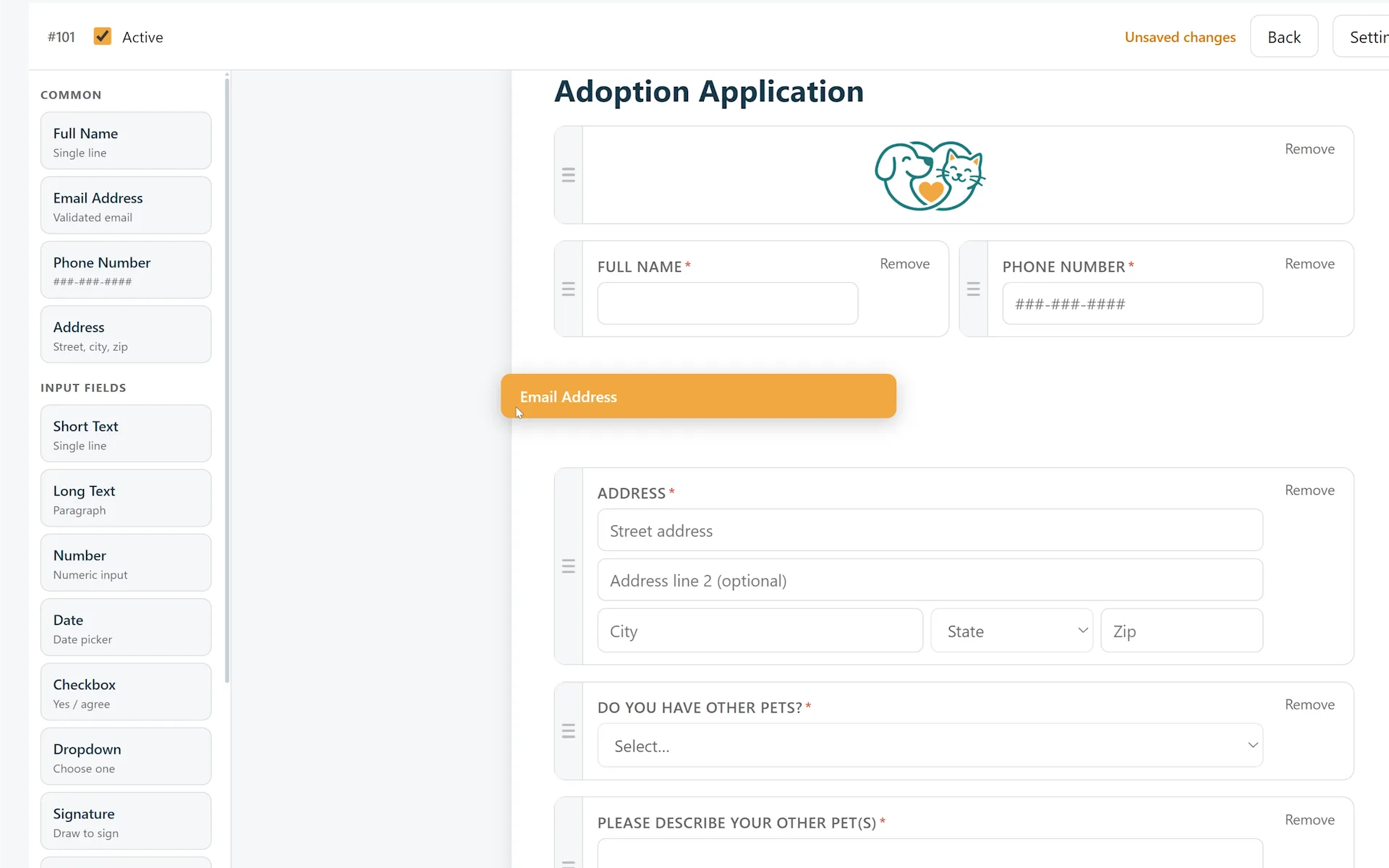
Rebuild your paper application with your own questions: drag fields in, mark them required, done.
Two upgrades worth adding while you’re at it:
- A confirmation message that sets expectations: “We review applications within three days.” Most applicant anxiety is silence, and this costs nothing.
- Open and close dates for programs that need them, foster orientation sign-ups, event registrations, seasonal intake requests, so forms manage themselves.
The bar to clear
If your team can answer “how many open applications do we have, and who’s handling each one?” in ten seconds, your process works, whatever it runs on. If the honest answer involves checking three inboxes and asking Carol, the application form was never the problem. The pipeline was.
Furdentify’s form builder lets you build adoption and foster applications with your own questions, collect them online, and keep every submission attached to the animal it’s about. See the features or get started.